

Click Fraud Protection

Our Most Popular Managed Services

If you need help deciding what services are best for your business let us know.

Blog banner image

Grove Networks Blog

Grove Networks has been serving the Miami area since 2000, providing IT Support such as technical helpdesk support, computer support, and consulting to small and medium-sized businesses.

Network Drives: What All Those Letters Mean for Data Management

Network Drives: What All Those Letters Mean for Data Management

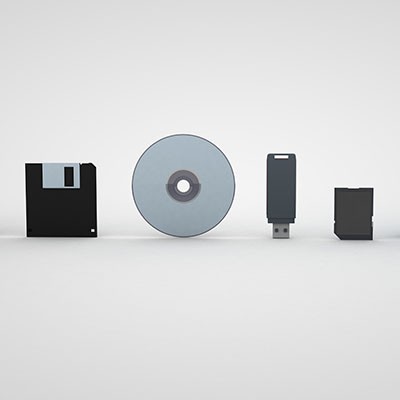
You often hear about “drives” when working with technology, but there are many different types that a computer might use in your business's day-to-day operations. Today, we want to explain what some of these drives do and why you should know where they are and what they stand for.


0 Comments
Continue reading

Is Free Antivirus Good Enough?

Is Free Antivirus Good Enough?

If you are old enough to remember when antivirus (like most computer software) came in a great big textbook-sized box at the store, then you probably remember a time when that was the only protection you really needed.

Today, there are countless free versions of antivirus out there. Let’s talk about how much protection these actually bring, and when and where they might be a good fit.

0 Comments
Continue reading

We Asked an AI to Write This Post About AI

We Asked an AI to Write This Post About AI

Over the last few months, we’ve seen a huge explosion in AI-generated content. From AI-generated artwork to convincing but fake videos of famous people, AI has quickly become an interesting enigma with a lot of apparent applications.

0 Comments
Continue reading

How to Ensure Your Technology Remains Maintained

How to Ensure Your Technology Remains Maintained

Maintaining your business’ technology can be a lot to handle, particularly if you don’t have any IT staff members on hand to dedicate to its management. Managed services make this process a lot simpler, ensuring that (amongst other key benefits) your desktop solutions remain up-to-date and prepared for anything. Here are three basic tips to follow to ensure your desktops remain maintained.

0 Comments
Continue reading

Best Practices for Protecting Your Mobile Devices While Traveling

Best Practices for Protecting Your Mobile Devices While Traveling

We know that you might not feel comfortable traveling yet, and for good reason, but when you do, it is extremely important that you take steps to protect the technology you take with you on the road. Here are some of the best ways that you can keep your mobile devices safe while out of the office and traveling.

0 Comments
Continue reading

Is This the End of the Desktop Computer?

Is This the End of the Desktop Computer?

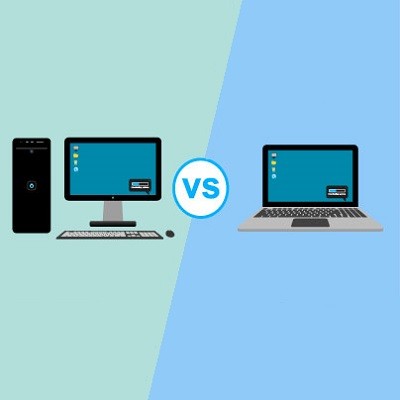
Is the era of the desktop computer over? Is it time to rip the bandage off and ditch the traditional bulky tower, cables, and monitors for something sleeker, lighter, and more specialized?

Maybe!

0 Comments
Continue reading

What You Need to Know About Bloatware

What You Need to Know About Bloatware

For the individual, it is exciting when you open the box that your new computer comes in. For a business, however, it can cause a bunch of problems. Sure, a hardware refresh can be an exciting time for a business, especially if it has been necessary for a while. One problem, however, is that some new hardware comes with unwanted software. Let’s take a look at what we mean.

0 Comments
Continue reading

Your IT Budget Says a Lot about Your Business

Your IT Budget Says a Lot about Your Business

Budgeting anything can be difficult, but with many business’ organizational reliance on information systems, finding the money to get your IT initiatives off the ground can be a challenge. That hasn’t stopped the IT sector growing fast. In fact, IT spending in business is at its highest levels since 2007. Let’s take a look at how your IT budget actually helps keep your organizational technology initiatives moving forward.

0 Comments
Continue reading

Tip of the Week: Organization Inside Windows 10

Tip of the Week: Organization Inside Windows 10

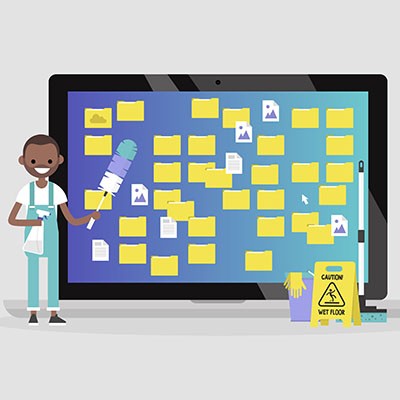
If you don’t take care of your PC’s files, you will quickly discover that it’s easy to lose track of where everything is. You have countless file types, folders, and applications sitting around without any real sense of organization or continuity. Today, we’re going to focus on how to help you better organize your files in a way that it easy to find and understand. You should be able to do so in either your operating system file explorer or in your cloud-based file storage.

0 Comments
Continue reading

Do You Know When You Need to Upgrade Your Business Computer?

Do You Know When You Need to Upgrade Your Business Computer?

It’s not something that we as business owners like to think about, but the fact of the matter is that no technology you implement will last until the day you close up shop for business. To mitigate the costs of your technology failing, you need to take measures now, including proactive monitoring for the various signs of failure. Be on the lookout for the following.

0 Comments
Continue reading

Tip of the Week: Managing Your Windows Arrangement

Tip of the Week: Managing Your Windows Arrangement

The modern worker (or really, the modern person) spends a lot of their time looking at a computer screen. Considering this, it only makes sense that their screens and the items displayed on them are arranged in a way that they like. Our tip covers a few shortcuts to help you arrange and view the items on your workstation a little quicker.

0 Comments
Continue reading

Tip of the Week: You Can Use Your Android Device As An External Hard Drive

Tip of the Week: You Can Use Your Android Device As An External Hard Drive

Does your business have trouble keeping data on the company network? This can be an issue if your employees use their mobile devices to do work while on the go. In order to keep this from becoming an issue, you should encourage your employees to not keep sensitive data on their mobile devices, and establish policies that give you control over your data and email on personal devices. That said, let’s show you how to get your data off of your Android device and back on your network where it belongs.

0 Comments
Continue reading

Tip of the Week: 3 Tips to Cleaning a Computer that Anyone Can Do

Tip of the Week: 3 Tips to Cleaning a Computer that Anyone Can Do

When you invest in a new computing device, you should know that a little bit of tender loving care goes a long way toward prolonging its lifespan. Yet, cleaning your device can be a bit tricky, especially if you don’t want to risk permanent damage to its components. Thankfully, it’s not rocket science to clean up your PC, especially when you have this step-by-step guide.

0 Comments
Continue reading

Tip of the Week: 4 Ways to Avoid Buying a Lemon of a Used PC

Tip of the Week: 4 Ways to Avoid Buying a Lemon of a Used PC

Every budget-minded business owner is always on the lookout for deals, especially when it comes to technology. The quest to save money might cause one to consider buying used computer equipment, which could work out great, or it could be disastrous, depending on a multitude of factors. If you’re serious about purchasing used computer equipment, then take into consideration these four tips.

0 Comments
Continue reading

2,000 Year-Old “Computer” Discovered Off the Coast of Greece

2,000 Year-Old “Computer” Discovered Off the Coast of Greece

When you think of a computer, you think of a machine that makes your life easier. You can look up events, check facts, record data, and so much more. However, the first computer might be something extraordinarily unexpected; a submerged treasure off the coast of Greece called the Antikythera mechanism, which was used to predict and track astronomical events, like the movement of the planets or the occurrence of eclipses.

0 Comments
Continue reading

Cloud Computing is Easy to Use and Implement, Stop Being Intimidated By It!

b2ap3_thumbnail_business_cloud_options_400.jpgThe cloud becomes more popular in the business environment with every passing day, and it’s so prevalent that you’d have trouble finding even a single business that doesn’t use it to some degree. However, we often find that the way that the cloud is explained to businesses is counter-productive and confusing. We’re here to help you understand the real trend behind cloud computing that’s driving cloud adoption: virtualization.

0 Comments
Continue reading

Tip of the Week: On or Off, Which is Better For Your PC at the End of the Day?

b2ap3_thumbnail_on_or_off_400.jpgAfter a long, hard day at the office, you might be tempted to just log off of your workstation so you can get right back into it the next day. However, you also have the option to shut down the PC, which can be beneficial at times. So, what should you do; power down your desktop, or simply log off? Both have their own pros and cons, so it’s important that you’re informed of how you make this decision.

0 Comments
Continue reading

Tip of the Week: Follow These 4 Best Practices to Keep Your Computer Clean

b2ap3_thumbnail_clean_your_pc_400.jpgA computer is a complex machine that demands routine maintenance and intentional caretaking. If ignored, the machine’s lifespan will be cut short. Here are four best practices that will ensure you get the most out of your PC.

0 Comments
Continue reading

Tip of the Week: Save Precious Seconds With Your Mouse’s “Snap To” Feature

b2ap3_thumbnail_snap_to_location_400.jpgYour workstation might be designed to save time, but sometimes shaving off seconds doesn’t have to be complicated. A few seconds here and there can really make the difference when it comes time to wrap up a major project. Taking this aspect to a whole new level is the often-forgotten mouse feature, Snap To.

0 Comments
Continue reading

Tip of the Week: Don’t Underestimate How These 3 Mistakes Can Ruin Your Computer

b2ap3_thumbnail_pc_mistakes_400.jpgNothing can damage a computer quite like user error. It’s sad when this happens because it’s often the case that the resulting issues could’ve easily been prevented if the user simply knew of PC best practices. Take for example these three easily-preventable PC mistakes that will do your computer harm.

0 Comments
Continue reading

Mobile? Grab this Article

QR Code